
Static routes
that stay put.
The VPN reconnects, Wi-Fi flaps, the routing table is rewritten — and the route you carefully added is gone. PinRoutes drives it back in, every time.
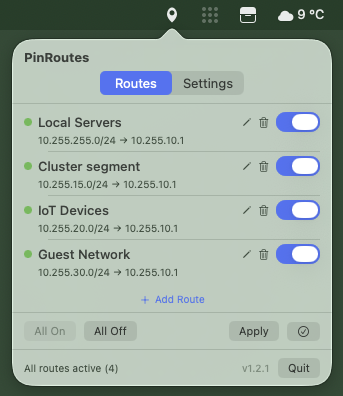
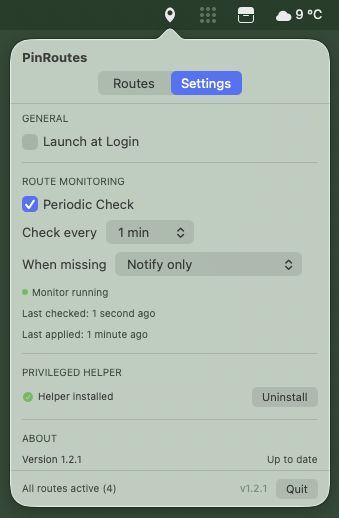
You add a static route for a reason — a lab subnet that must not ride the tunnel, a printer VLAN, a peer you need to reach directly. Then the network changes and macOS rebuilds the routing table from scratch, quietly dropping everything you added by hand.
PinRoutes lives in the menu bar and watches for exactly that. Declare the routes that
matter once; it holds them against the table and re-asserts any that go missing. No
scripts firing on every interface event, no re-running route add after each
reconnect — the routes you pinned simply stay pinned.